
 Create a Student Account

As we are enjoying the summer season, it is the perfect time to talk about delegating approval in Onshape's Release Management. Whether you are planning a vacation or a business trip, you do not need to worry about holding up design approvals. With Onshape Professional and Enterprise plans, you can seamlessly delegate both release approval responsibilities and task assignments to another user or team
Effortless Delegation for Streamlined Collaboration
Release management is the backbone of ensuring a seamless design flow through the approval process. An essential step in this process is designating an approver who reviews the design and determines whether it gets released or rejected. Similarly, task assignments are pivotal in distributing responsibilities across the team. But what happens when the designated approver or task assignee is unavailable due to time off or other commitments? This is where the invaluable practice of delegating approvals and task assignments comes into play.
Embrace Efficiency with Simple Steps
Delegating approvals or task assignments in Onshape is straightforward. Follow these steps:
- Head to your My account > Preferences > Delegate approval to this user or team.
- Type the user or team name to whom you wish to delegate approvals.

In your absence, they are instantly notified whenever a Release Candidate requires approval or an assigned Task necessitates completion.

Approval requests are automatically directed to your chosen delegate, ensuring smooth continuity in your design workflow, even when you are away.

In addition, this delegation capability extends to task assignments, further enhancing collaborative efficiency.

Note: Delegated approval requests can’t be passed on to another user. Once you delegate approval to someone, only that person can handle an approval request.
Watch the video below to get real-time instructions on how to delegate approvals and tasks.
Rest easy knowing that your design approvals are in capable hands even when you are out of the office. Create amazing designs, and enjoy your summer break.
This Tech Tip showcases the ease of Onshape's Release Management approval delegation.
Interested in learning more about using Onshape? You can review the most recent technical blogs here.
The Onshape Learning Center
Take self-paced courses, get technical briefings, or sign up for an instructor-led training session.
Latest Content
- Blog
- Becoming an Expert
- Assemblies
- Simulation
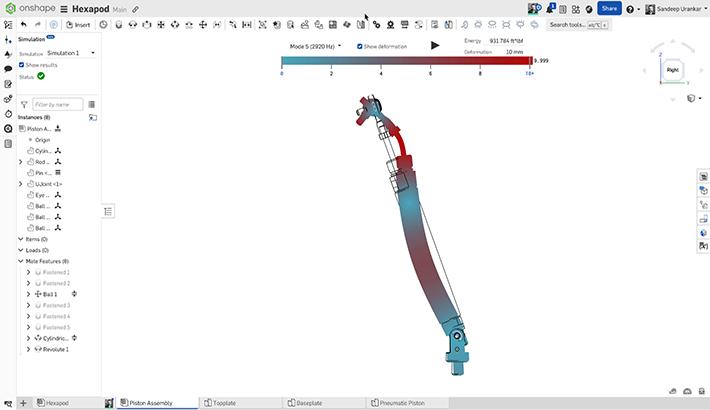
Mastering Kinematics: A Deeper Dive into Onshape Assemblies, Mates, and Simulation
12.11.2025 learn more
- Blog
- Evaluating Onshape
- Learning Center
AI in CAD: How Onshape Makes Intelligence Part of Your Daily Workflow
12.10.2025 learn more
- Blog
- Evaluating Onshape
- Assemblies
- Drawings
- Features
- Parts
- Sketches
- Branching & Merging
- Release Management
- Documents
- Collaboration
Onshape Explained: 17 Features That Define Cloud-Native CAD
12.05.2025 learn more


