
 Create a Student Account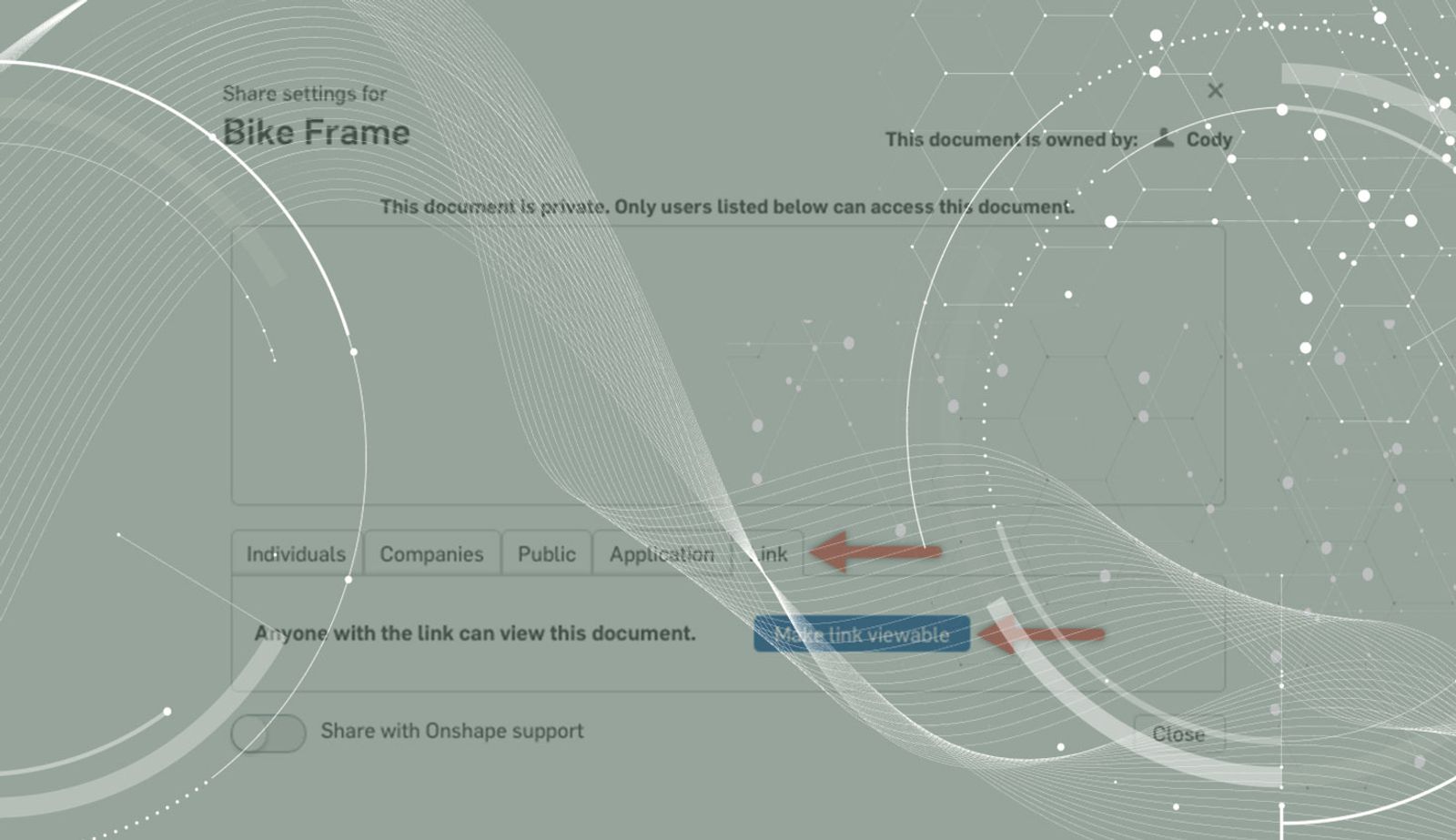
0:43
Onshape evolves quickly. So quickly in fact, that if you aren’t paying attention, it’s easy to miss that some of the most requested features are being added on a regular basis. One of those new features is sharing your Document with a link.
You’ll find the new Share option in the Share dialog. This allows you to share your Document with view-only permissions to anyone who has the link – even if they don't have an Onshape account.
And remember, as with all Onshape share permissions, you remain in control of your data at all times, and can revoke permission to the link at any time by clicking the “x” in the Share dialog.
So give it a shot. And be sure to subscribe to our blog and stay up to date on all the fast-paced changes happening in Onshape.
Latest Content
- Blog
- Evaluating Onshape
- PCB Studio
- Integrations
- Collaboration
- Consumer Products
- Electronics
- Medical Tech
- Robotics
How Onshape and Altium Are Erasing the ECAD-MCAD Divide
04.30.2026 learn more- Blog
- News from Onshape @ PTC
- PCB Studio
- Integrations
- Consumer Products
- Electronics
- Medical Tech
Introducing the Onshape Altium Connector: True Cloud-to-Cloud ECAD-MCAD Collaboration
04.29.2026 learn more